PDF Combine is a very simple PDF tool to merge several pdf files together. If you are looking for a utility that could combine several PDF files to one PDF, you may try PDF Combine.
There is a file browser in PDF Combine to explore pdf files, just select the pdf files and select [Combine to PDF] from the menu. You could also try other PDF merger such as 7-PDF Split & Merge.
Features of PDF Combine:
* Combines different pages of invoices, bank statements, contracts, or e-books
* Allows selecting as many PDF files as you like
* Supports different kinds of PDF files produced by various programs
* Suggests adding macros in destination path (date or time)
* Keeps folder structure if you combine subfolders within a folder.
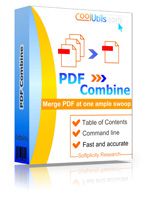
* For e-books PDF Combine creates Table of Contents. Each file name of the combined files becomes a bookmark.
* New! PDF Combine adds headers and footers to PDF pages.
About PDF Combine Portable
Website: www.coolutils.com
Password: www.thinstallsoft.com
MD5 Hash: Unkown
PDF.Combine_ThinstallSoft.zip | 2.66 MB
@ThinstallSoft.com | PDF Combine Portable 1.5.81 Download Page