MagicPlot Student is a free plotting software with useful nonlinear curve fitting tool and data analysis. It's handy for scientific and engineering data analysis, plotting and nonlinear curve fitting, etc.
Just enjoy your data analysis with MagicPlot Student Portable, however, you should know that MagicPlot Student is for non-commercial usage only.
Note: Run MagicPlotStudentPortable.exe to launch MagicPlot Student Portable. MagicPlot Student Portable was updated to version 2.3 on 2013/1/13.
Features of MagicPlot Student:
* Undo and redo
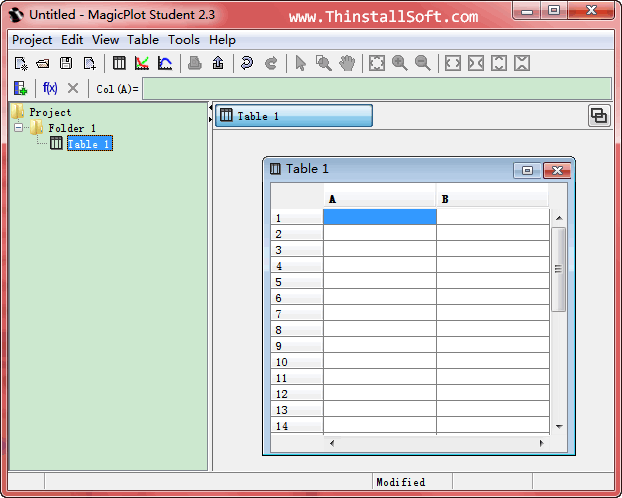
* Numeric tables
* Data calculation: column formulas
* Easy data navigation
* Nonlinear least-squares curve fitting and multi-peak fitting
* Visual fitting interval setting
* Easy subtraction of baseline
* from experimental data
* Transparent images and objects
* Formatted text labels
* Objects snapping
* Accurate typography
What's new in MagicPlot Student 2.3?
* Improved: EMF and vector image copy on Windows: coordinates tolerance increased
* Improved: EPS, PDF: writing real font postscript names without fonts embedding
* Improved: Show trailing zeros checkbox did not affect axes labels
* Improved: Hand tool does not select and move objects when image is zoomed in
* Improved: Batch Processing: Confusing legends on Figure when adding curves to existing Figure
* Fixed: EPS: Landscape orientation activated mistakenly
* Fixed: On Mac OS X: Helvetica plain font was mistakenly written in vector images as Helvetica-Light
* Trial period is 30 days, no need to request trial key!
About MagicPlot Student Portable
Website: magicplot.com
Password: www.thinstallsoft.com
MD5 Hash: 7D25D075FB389067E888139251AEB29F
Note: To run MagicPlot Student Portable, you must have Java Runtime installed on your computer.
MagicPlotStudentPortable_2.3_English.paf.exe | 1.66 MB
@ThinstallSoft.com | MagicPlot Student Portable 2.3 Download Page | Old Versions